Thursday, October 12, 2017

Microsoft CEO Admits Windows Phone Had No Chance Against iOS, Android

Microsoft's Joe Belfiore confirmed earlier this week that Windows 10 Mobile is pretty much a dead platform, explaining that no new features and hardware are on the radar, and now CEO Satya Nadella comes with more information on why the platform failed.

Speaking at the 2017 GeekWire Summit, Nadella pointed out that what Microsoft wants to do right now is focus on iOS and Android apps to make sure that customers can access their services no matter the platform of choice.

And while Microsoft has often been criticized for bringing certain apps to iOS and Android first and only then to its own platforms, Nadella pointed to Office as the living proof that new products don't necessarily have to be Windows-first to become successful. The Office productivity suite was first launched on Mac OS X and only then on Windows.

No investments in mobile hardware

As for the reasons Microsoft is giving up on mobile hardware, the CEO admits that the current share of the platform does not allow the firm to continue investments in this area.

"We absolutely do not have the share to have our smartphone hardware, that's a real consumer choice. That's the reality of it. The reality is that we cannot compete as a third ecosystem with no share position and attract developers. The thing we're doing is to make sure that the software is available so that we can service the enterprise customers who really don't care about a lot of the things a consumer will care about," Nadella explained in the interview.

This means Microsoft will continue to keep Windows 10 Mobile alive only for enterprises, as companies aren't necessarily interested in the same features as consumers.

But Redmond not investing in hardware means fewer partners building phones and running its software, so sooner or later, the enterprise platform could be dragged down by the lack of devices as well.

HP is one particular example. The company admitted recently that it was working on several new phones running Windows 10 Mobile, but because of Microsoft's dropping investments in the operating system, it canceled them all, with the Elite X3, which is already on the market, to be discontinued in 2019.


Source: Microsoft CEO Admits Windows Phone Had No Chance Against iOS, Android

Wednesday, October 11, 2017

Microsoft's Lumia 435 Was Supposed To Be Bezel-Less But It Was Canceled

Large displays with an 18:9 aspect ratio and thin bezels are the most popular smartphone trends this 2017. However, it looks like Microsoft was ahead of its game way back in 2014 with the "bezel-less" Lumia 435, which was never actually released to consumers.

During the phone's development, it was given the codename "Vela." The device itself was intended to be a low-end smartphone with an "all-screen" design and would only cost less than $200. The device never reached the smartphone market, but Windows Central was able to acquire one of the prototypes of the Microsoft Lumia 435.

The Lumia 435 was supposed to run Window 8.1 and feature a 5-inch LCD 720p HD display. Its exterior appearance is very similar to Microsoft's other Lumia-branded smartphones in 2014. The prototype that Windows Central has appears to have a green shell removable back. Overall, it looks a bit plasticky and cheap.

The only thing that's really great about the phone is that it features a bezel-less design, which wasn't even something that other major phone makers were doing in 2014. That said, it still comes with a large chin on the bottom of the display. The two bezels on its sides only measure 3mm, while the one on top is only 4.4mm. The phone has a screen-to-body ratio of 79 percent, which was the most of any smartphone at the time. The prototype's design is a bit reminiscent of Xiaomi's first Mi Mix from last year. However, this prototype Lumia 435 still has a traditional earpiece speaker that's tucked on top of the display.

Inside, the Lumia 435 prototype is powered by Qualcomm's Snapdragon 200 processor along with 4GB of storage and 1GB of RAM. The storage is expandable up to 200GB via microSD card, while the handset is equipped with a 1,800 mAh battery. The handset was also intended to debut with dual-SIM card support.

On the back, the prototype has a 5-megapixel camera. The bezel-less smartphone's camera performance is said to be just "OK" and best works in well-lit scenarios. Low lighting conditions and night shots are described as being "bad," however. Up front, the handset has a 720p HD selfie camera. Unfortunately, the handset is running unfinished Windows 8.1 software so the camera was unusable.

It seems like Microsoft was ahead of its time. It might have been a low-end phone, but it definitely was unique and could have caught people's attention. It remains unclear why Microsoft decided to ditch this bezel-less design for the Lumia 435, but it looks like the company missed an opportunity to stand out from the rest of the competition. The company did release a Lumia 435 handset in early 2015, but that ended up being a very forgettable $50 phone.

Yesterday, Microsoft executive Joe Belfiore confirmed via Twitter that Windows Phone is dead. Belfiore said that Microsoft will no longer be making Windows handsets nor will it release a new version of its mobile software. However, Microsoft will continue to support the platform by providing existing users with bug fixes and security updates.

LumiaMicrosoft's Lumia 435 smartphone was supposed to have a bezel-less design. Photo: REUTERS/Robert Galbraith


Source: Microsoft's Lumia 435 Was Supposed To Be Bezel-Less But It Was Canceled

Windows 10: Fall Creators Update SDK is now available for all developers

Video: Windows 10 after two years: Was the upgrade worth it?

Microsoft has released the Windows 10 Fall Creators Update SDK allowing developers to begin building apps for the fourth major update to Windows 10, due out on October 17.

The new SDK introduces tools to build apps for Microsoft's Mixed Reality, modernize their apps more easily, use Microsoft's new design system Fluent Design, and enable apps to connect from Android and iOS to Windows PCs.

Developers in the Windows Insiders Program have been able to use the Fall Creators Update SDK, but it is now available to all developers.

Microsoft notes there are now more than 500 million monthly active Windows 10 devices and says 80 percent of devices are running the latest version of Windows 10 in less than a year. The Fall Creators Update is the fourth major update to Windows 10 since 2015 and follows the November Update, the Anniversary Update, and the Creators Update.

Alongside the Fall Creators Update launch on October 17 Microsoft has lined up several partners whose mixed reality, or AR and VR, headsets will also go on sale on the date. These include Acer, Dell, HP, Lenovo, and Samsung.

While Microsoft has given up on Windows 10 Mobile, the company does have a plan to ensure Windows remains relevant in an increasingly mobile world through Project Rome and Microsoft Graph, formerly known as the Office 365 unified API.

Earlier this year Microsoft showed how these technologies were enabling features like "pick up where you left off, which allowed Cortana to hand off an app, document, or website in the same state between Windows, iOS and Android devices.

Today Microsoft says Microsoft Graph and Project Rome enable "device relay" and "activity feed".

"Device relay allows your customers to continue what they're doing right now, but on a different device and Activity Feed, allows them to pick up an activity they were doing in the past, and continuing it now or sometime in the future," Microsoft explains.

Developers also have access to the remote systems and remote sessions APIs, which allow Windows 10 applications to communicate with users devices across Windows, Android and iOS.

ALSO: Windows 10 spotlight: Prepare, repair, and recover | Windows 10 power tips: Secret shortcuts to your favorite settings [Tech Pro Research]

These tools for developers come alongside Microsoft's "Continue on PC" feature that it's enabling through its new Edge apps for iOS and Android. The feature, which Microsoft has been testing with Windows Insiders, allowed a web page to be shared from Safari or Chrome on mobile to a Windows PC. "Continue on PC" will be available to all users once they've installed the Fall Creators Update and are using the Edge apps for iOS and Android on a phone.

The Fall Creators Update SDK also has a new Windows application project in Visual Studio 2017 version 15.4 to simplify application updates.

"This new project allows developers to utilize the app packaging without having to convert your existing installer. Just add the project and you're done. Once your application is using the modernized installer, you now have access to all the APIs that have been added to the Windows Platform. For example, integration with Windows Hello to assist with security, action center integration to assist with engagement, and cross-device capabilities provided with device relay and activity feed," Microsoft explains.

windows-10-blue-event-thumb.jpg Image: ZDNet/CNET Previous and related coverage

Windows 10 Mobile: Microsoft just put the final nail in the coffin

Microsoft finally confirms that Windows Phone won't get more features or phones.

Microsoft is bringing new Edge apps to iOS, Android

Microsoft is rolling out new Edge apps for iOS and Android (plus an updated Launcher app for Android) as part of its strategy to try to keep Windows 10 PCs central to users' computing mix.

Windows 10: The essential guide for business professionals [Tech Pro Research]

Windows 10 is introducing a host of new features, a platform-unifying design, and Microsoft's Windows-as-a-service strategy. This guide will help you get up to speed on the most significant details.

Read more about Windows 10
Source: Windows 10: Fall Creators Update SDK is now available for all developers

Tuesday, October 10, 2017

This is the bezel-less Microsoft Lumia 435 that never was

If Google is the home of throwaway (and sometimes expensive) prototypes, Microsoft is perhaps the home of broken dreams and, to some extent, promises. From the Courier to Continuum to, now, Windows Mobile, Microsoft has us always asking "what if?". Like, what if it put out a nearly bezel-less smartphone? Well, it almost did back in 2014, 2 years before even Xiaomi got the ball rolling. Unfortunately, like many of its actually good ideas, it passed up on the opportunity.

Windows Central got their hands on a Lumia 435 prototype that was so unlike the Lumia 435 that was actually released to the public. While the prototype was unmistakably a Lumia, thanks to its boxy design and garish green removable cover, it had one thing that no other Lumia had or will ever have.

This Lumia 435 had a 5-inch 720p screen that was almost all screen and no bezel. Almost. It had a rather thick bottom "chin", however, where the front camera was housed. This is similar to what Xiaomi did with the Mi Mix, though with more finesse and style. Given this was 2014 and a rather low end phone, that can perhaps be forgiven.

Hardware-wise, the almost bezel-less Lumia 435 was nothing exceptional at all. It ran on a then still recent Qualcomm Snapdragon 200 with 1 GB of RAM. The 4 GB internal storage would be laughable even then. Not to mention the paltry 1,800 mAh battery. Then again, this was 2014.

The mystery is why Microsoft decided to can the device and release a forgettable model instead. It would have turned heads and, perhaps, gotten the Lumia line the attention and sales it definitely needed. Again, we're left wondering "what if".

VIA: Windows Central


Source: This is the bezel-less Microsoft Lumia 435 that never was

How to Find, Download Microsoft Windows Store Apps

How to Shop at Microsoft's Windows Store

Microsoft's Windows Store launched with Windows 8 in 2012 offering only apps and games. Windows 10 in 2015 added music, movies, and TV shows, and April's Creators Update added books. But how can you shop at the Windows Store and what will you find? Let's check it out.

First, you'll need Windows 10 to shop for the full array of items in the Windows Store. And if you're looking for a good book to read, you'll need the Creators Update. To check your version of Windows 10, right-click the Start button. If you see the Settings command in the menu, you have the Creators Update. If you see Control Panel in the menu, you're still running the prior flavor of Windows and need to install the Creators Update, which you can do from the Windows Update screen in Settings.

To open the Windows Store, click on its icon on the Taskbar, or click on the Start button and scroll down the list to the shortcut for Store and click on it.

The Windows Store opens. At the top of the window are the various product categories – Apps, Games, Music, Movies & TV, and Books.

The store's home page opens, flashing the latest promotions and other highlights. Scroll down the home page, and you'll find daily deals, special picks, and most popular items, among other content. Be sure to scroll all the way down the home page to see all the latest lists and promotions.

Shopping for Apps

Let's say you want to shop a specific category. Let's start with apps. Click on the Apps menu. You'll see the latest promoted apps.

Scroll down to see top, featured, top paid, and top free apps, and more.

For any list, you can click on the "Show all" button.

The store then displays the complete list of matching items.

Click on the left arrow before the word Store to return to the previous page. Scroll all the way down to the bottom of the Apps page to see a list of app categories that you can click on and browse.

At the specific category page, you can click on each of the headings at the top to narrow or change the list of items.

If you find a free app you want to download, like Hulu, click on it and select "Get." The app will start downloading, before giving you the option to Launch or Pin to Start.

If you want a paid app, click Get, which will ask you to sign into your Microsoft account if you're not already signed in.

If you've never purchased an app, you'll be asked to add a way to pay: credit card or debit; PayPal; mobile phone; or gift card.

Shopping for Games

Now, click on the Games menu. The Games page pops up, highlighting a certain game or games.

Scroll down the page to see best-selling games, top paid games, top free games, and other lists. Again, scroll all the way down to the bottom of the page, and you'll see a list of game categories that you can browse.

If you find a particular app or game that interests you, click on its entry to view its full page.

If you see an Install button, the game is free for the taking. Click on Install, and the app or game is downloaded and installed. If you see a price tag and Buy button, then the app or game will cost you some cash. Click on the Buy button to download it.

If you've already set up a payment method with Microsoft, Windows asks for your PIN or password to authenticate your identity and asks you to confirm the purchase. If not, you'll be asked to set up a means of payment.

Shopping for Music

Now let's segue to the Music category by clicking on its menu. The Music page pops up highlighting certain artists or albums.

Scroll down the page to see a list of recommended and popular artists and albums. At the bottom of the page you'll find a list of genres. If a particular album or song strikes your fancy, click on its link to see its full page. Click on the price tag if you wish to purchase the album. That music will then be available in the Groove Music app, which will be discontinued as of Dec. 31 and merged with Spotify.

Shopping for Movies & TV

Next, click on the menu for Movies & TV. Scroll down the page to see all the featured movies and TV shows. Click on a specific movie or TV show if you wish to purchase it. It will then be accessible via the Movies & TV app.

Shopping for Books

Then click on the menu for Books. Scroll down the page to see all the book titles. Click on a specific book that you want to purchase. You can read those selections on any Windows 10 device with the Windows Creator update via Microsoft Edge.

Shopping for Specific Items

Maybe you're looking for a specific app, game, album, song, movie, TV show, or book. Instead of browsing the different categories, search for an item by title or other criteria. Type a keyword in the Search field. The store displays a list of potential matches. You can click on one of the suggested matches or click on the Search icon to look for your item.

If you search for your item, the store then displays results across all the product categories.

You can narrow the results to a specific category. Click on the Type menu and then choose a category, such as albums, and the results are refreshed to match your selection.


Source: How to Find, Download Microsoft Windows Store Apps

Monday, October 9, 2017

Microsoft's dream of Windows on phones is officially dead รข€” now it's time for Plan B

SatyaNadella2016Microsoft CEO Satya Nadella and his company are trying to keep Windows relevant.AP

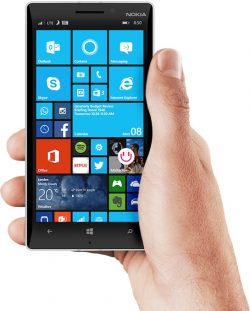
Over the weekend, Microsoft Corporate VP of Windows Joe Belfiore confirmed what its biggest fans already knew — Windows 10 Mobile, the company's smartphone operating system, is dead.

It's not much of a shock. There hasn't been a Microsoft-made Windows 10 Mobile flagship phone since 2015's Lumia 950, and HP recently pulled the plug on its ambitious Elite x3. Top Microsoft execs had previously said Windows 10 Mobile wasn't really a focus, choosing instead to double down on releasing iPhone and Android apps.

And while Microsoft hasn't totally shut the door on getting back into the smartphone game one day — a persistent rumor holds that Microsoft is working on a so-called "Surface Phone" — the company has for now thrown in the towel.

Which leads to a really important question: With Windows 10 Mobile dead, and the PC market in steady decline, what comes next for Microsoft in general and Windows 10 in particular?

If you ask Microsoft, the answer is augmented reality (AR), the technology that layers digital images on top of views of the real world via a smartphone or, more promisingly, special glasses. Microsoft spurred a lot of the AR hype when it debuted its HoloLens goggles in 2015, and the company thinks similar AR eyewear could ultimately replace phones. Why carry a smartphone, when your glasses will allow you to see your texts and view Netflix, no hands needed? 

The problem for Microsoft is that the decline and demise of Windows 10 Mobile could undermine its AR strategy, as Ars Technica's Peter Bright noted back in August.

Google and Apple are building augmented reality technology into Android and iOS, respectively, giving those platforms an on-ramp into the future Microsoft envisions. It's now relatively easy for iPhone and Android developers to add AR to their mobile apps and to distribute those AR-powered apps widely.

microsoft panos panay windows phone lumia 950Microsoft hardware chief Panos Panay with the Microsoft Lumia 950 and 950XL phones.Getty Images/Andrew Burton
By contrast, because it no longer has a viable mobile operating system, Microsoft runs the risk of getting left behind.

To be sure, just because the company is giving up on Windows 10 Mobile doesn't mean it's abandoning the AR future. The company has teamed up with Samsung, Dell, and others to make and promote virtual reality (VR) headsets for Windows 10 PCs. Microsoft holds that VR and AR are two sides of the same coin, so success in one will lead to success in the other.

More broadly, the company is trying to keep Windows 10 relevant and vital, even if it's been boxed out of the mobile market. So, the company is doubling down on the things Windows is good at.

Video gamers love Windows, for example. So Microsoft is strengthening its game efforts. It recently promoted Xbox boss Phil Spencer to CEO Satya Nadella's most senior leadership team. And the company has made a concerted push to bring more Xbox games to the PC (and vice versa). 

Meanwhile, Office is still a huge profit center for the company. Microsoft is adding features for Windows users, including updating Windows Ink, the feature that allows users to interact with their devices using a stylus. Eventually, Microsoft wants consumers to be able to use Windows 10 with nothing other than a pen, opening the PC up to all-new uses.  

Still without a mobile operating system, Microsoft's task of keeping Windows relevant won't be easy. And its bets will likely get riskier and its shots longer.

Get the latest Microsoft stock price here.

SEE ALSO: Microsoft's Windows Phone platform is dead NOW WATCH: Microsoft CEO Satya Nadella realized he had a sexist bias — here's how he confronted it
Source: Microsoft's dream of Windows on phones is officially dead — now it's time for Plan B

Microsoft Admits Windows Phone is Basically Dead

Microsoft has publicly admitted for the first time that its Windows Phone is dead. In a series of tweets, Windows 10 chief Joe Belfiore said that the company is no longer developing new features or hardware for Windows 10 Mobile, with only bug fixes and security updates to come for existing users.

Belfiore explained that his team had tried "very hard" to incentivize app developers by paying them and writing apps for them, but the low volume of users meant it was no longer worth the investment in Windows Phone.

Microsoft officially ended support for Windows Phone back in July, but the software giant never owned up to the fact that the move was essentially the final nail in the coffin for its flagship mobile platform. Today's news that the Windows 10 Mobile hardware is no longer a focus for the company now puts th at beyond doubt, and makes the possibility of a long-rumored Surface-branded phone seem further away than ever.

Windows Phone was released in 2010 and quickly became the world's third most popular mobile operating system, but the platform couldn't compete with iOS and Android, which now accounted for a combined 99.6 percent market share earlier this year.

In another sign of the times, the New York Police Department recently confirmed it will begin transitioning from Windows Phones to iPhones for its 36,000 police officers in the fall.

In Belfiore's series of tweets, the corporate VP also revealed that he had switched away from Windows Phone to a rival mobile operating system, but didn't say which one.


Source: Microsoft Admits Windows Phone is Basically Dead